Compare
Twirldress vs insMind — show it the dress, don't describe it.
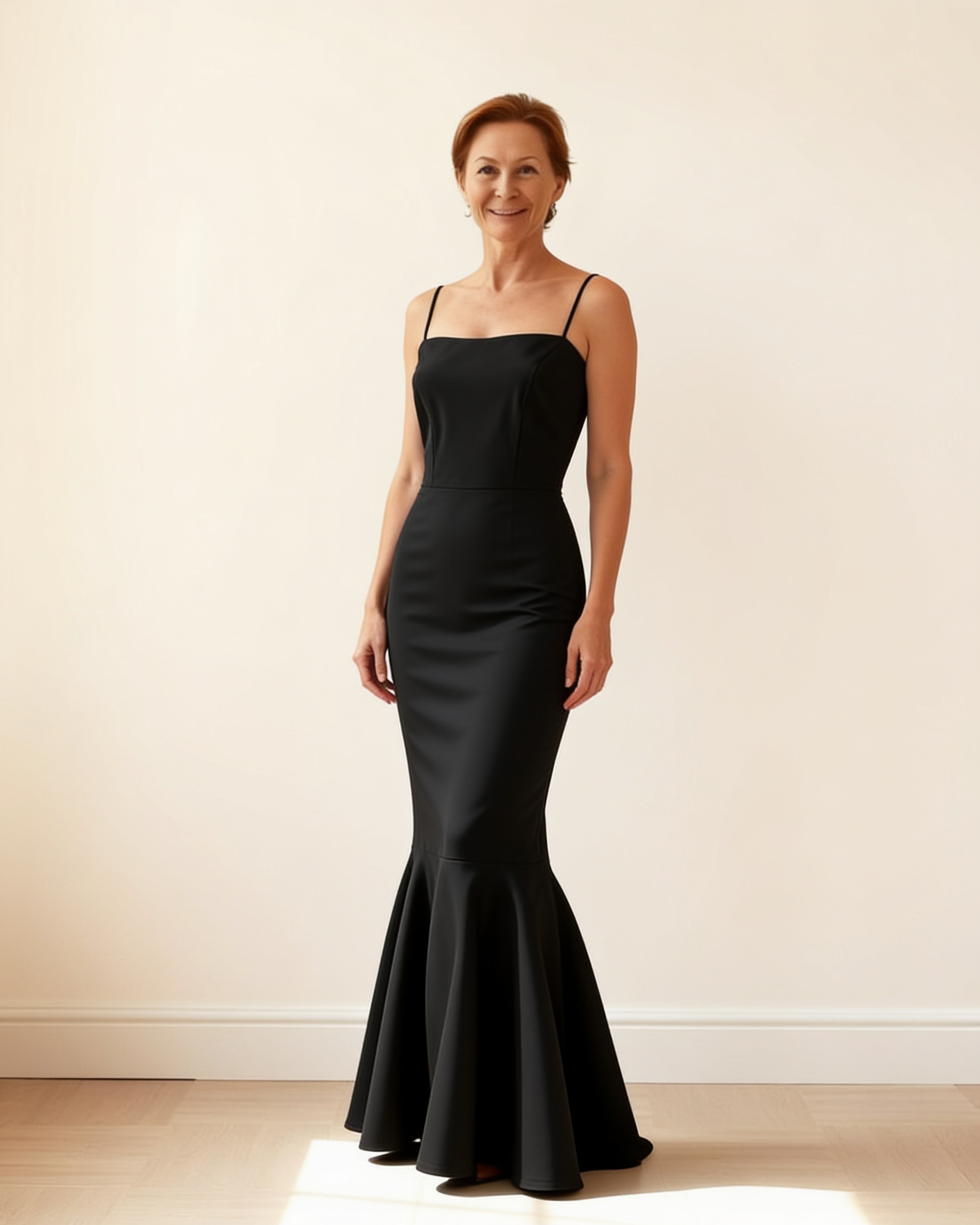
insMind builds photo tools for people who sell things online, and its AI clothes changer follows that logic: brush over the garment area in your photo, type what you want instead — "long black evening gown" — and the AI paints it in. As a product-photo trick, it's clever. But notice what just happened: you never showed it a dress. You described one, and description is exactly where dresses go wrong.
Below is a side-by-side for anyone using AI try-on for real decisions — the seller building listings, the bride shortlisting gowns, the shopper eyeing one specific dress — covering workflow, garment fidelity, pricing and where each tool honestly earns its keep.
Last updated October 2, 2026
The short answer
insMind is a useful e-commerce editor when you want to invent outfits on a photo. Twirldress is for when the outfit isn't hypothetical: give it the actual dress image and it renders that gown — neckline, hem, drape — on a real body in about 20 seconds, first render free. If the dress exists, show it. If you're dreaming one up, a prompt will do.
| Twirldress | insMind | |
|---|---|---|
| Made for | Dress try-on decisions | E-commerce product photo editing |
| How you choose the dress | Upload the actual dress image, or pick 56+ in-house designs | Brush the garment area, then type a text prompt |
| Result matches a real dress | Yes — the image is the source of truth | No — the AI invents from your description |
| Input effort | One photo of you, one photo of the dress | Front-facing photo plus careful brush masking |
| Free tier | First full try-on free, in the browser | Limited credits; watermarked, standard-quality downloads |
| Clean results | With paid credits | On paid plans |
| Price model | One-time credits from $5.99, never expire | Free tier plus subscription |
| Best at | Deciding: this gown, on you | Quick outfit concepts on model shots |
The brush-and-prompt workflow, honestly
Credit where due: insMind's workflow is straightforward once you're in it — upload a front-facing photo, brush over the clothes, describe the replacement, generate. For e-commerce teams mocking up concepts, swapping garment colors or refreshing catalog imagery, it slots neatly into a photo suite that already handles backgrounds, cleanup and AI replace.
But brushing and prompting is also the ceiling. The tool never sees the dress you mean — it sees your description of one. Cut, neckline, hem length, skirt volume, the seam where bodice meets skirt: all of it is re-imagined from words. Two people typing the same prompt get different dresses, and neither one is yours.
Why that matters most with dresses
Tops forgive approximation; dresses don't. An inch of hem, a hand's width of skirt, a neckline drawn one way instead of another — each one changes whether the dress works at all. That's why prompt-based swapping struggles exactly where dress people care most, and why an invented "AI outfit" rarely survives contact with the product page it was supposed to match.
Twirldress removes the description step entirely: the dress image is the input. Product shot, boutique photo, screenshot, a vintage find, your own sketch — the renderer reproduces that garment on your photo, which is what makes "this one or that one" a fair fight. Sellers run the same math in reverse: one flat-lay becomes on-model listing photos without a single shoot.
What you get free — and what clean results cost
insMind's free tier gives you limited credits with watermarked, standard-quality downloads; clean, HD output sits behind a subscription. Twirldress starts every user with a full free try-on — then stays transactional: credits from $5.99 for 10 renders, one-time, never expiring, with failed generations not consuming credits. A dress decision costs a credit, not a month.
There's a privacy difference worth reading before you upload, too: Twirldress never stores your photo and never trains on it. For either tool, the provider's own policy is the source of truth — but one of the two makes "we don't keep it" the product's promise.
The one-line decision
Dreaming up outfits? insMind's prompt box will happily invent them. Deciding on a dress that exists — one from the Twirldress library or your own image? Show it the dress. That's the whole difference, and the first render is free.
When insMind is the better pick
- You're editing product photos at volume, and clothes-swapping is one task among many in the suite.
- The outfit is conceptual — mockups, mood boards, ideas — and doesn't need to match a real product.
- You want garment color changes and quick AI replaces more than true try-on.
- Your team already runs on an e-commerce photo stack and just needs one more tool in it.
Ready to see it on you?
Upload a photo, pick a dress from the library — or upload your own — and see it on you in about 20 seconds. First try-on free.
Twirldress vs insMind — FAQs
+How does insMind's clothes changer work?
You upload a front-facing photo, brush over the clothing area, type a text prompt describing the new outfit, and the AI generates it. Twirldress replaces the describing with showing: you upload the dress image itself, and it gets rendered on your photo.
+Can insMind try on a specific dress from a shop?
Not as a specific garment — the prompt workflow invents an outfit from your description, so the result approximates rather than reproduces the product. Twirldress renders the exact dress image you give it, which is what makes it usable for real decisions.
+Which tool is faster to a first result?
insMind's edit is quick if your brush mask is clean; a Twirldress render takes about 20 seconds with no masking step. The bigger difference is what arrives: an invented outfit versus the actual dress.
+Is Twirldress good for sellers?
Yes — paid renders are watermark-free, and the seller workflow turns one flat-lay per dress into on-model listing photos for shops and marketplaces. insMind serves sellers too, but as a general editor rather than a dress try-on engine.
+What does each cost?
insMind: a free tier with limited credits, and a subscription for watermark-free HD exports — see their pricing page. Twirldress: first try-on free, then one-time credits from $5.99 for 10 renders. No subscription, credits never expire.
+Which one protects my photos better?
Twirldress processes your photo only for the render — never stored on our servers, never used for AI training. insMind's practices are covered in their privacy policy; read it before uploading personal photos to any tool.
+Can I try on wedding dresses with either?
You can attempt it with insMind, but prompt-invented gowns drift on silhouette and detail — the parts brides care about most. Twirldress's dress-only engine renders real bridal silhouettes faithfully, and the first render is free.
+Does insMind need a specific kind of photo?
Yes — it asks for a clear, front-facing photo because the brush selection needs a visible garment area. Twirldress also favors clear, full-body photos for best results, but there's no masking step in the workflow.
+Bottom line — who is each tool for?
insMind for e-commerce teams editing product photos who want outfit invention inside the same suite. Twirldress for anyone deciding on a real dress — shoppers, brides, bridesmaids, sellers, studios — who needs the actual garment rendered honestly on a body.
Keep comparing