Compare
Twirldress vs Fotor — the dress you chose, not a lookalike.
Fotor is the Swiss Army knife of online photo editing — background removers, headshots, filters by the hundred, and an AI clothes changer tucked in among them. Describe an outfit — a red floral midi, say — and it paints one onto your photo. Fast, fun, flexible. Twirldress asks a different question: not "what dress should I invent for you?" but "which actual dress — this one — looks right on you?"
That difference decides which tool fits your moment. Below: how each one handles a real garment image, what the results look like when a dress decision gets serious, and what you pay when the fun turns into a purchase — say, a week before prom.
Last updated October 2, 2026
The short answer
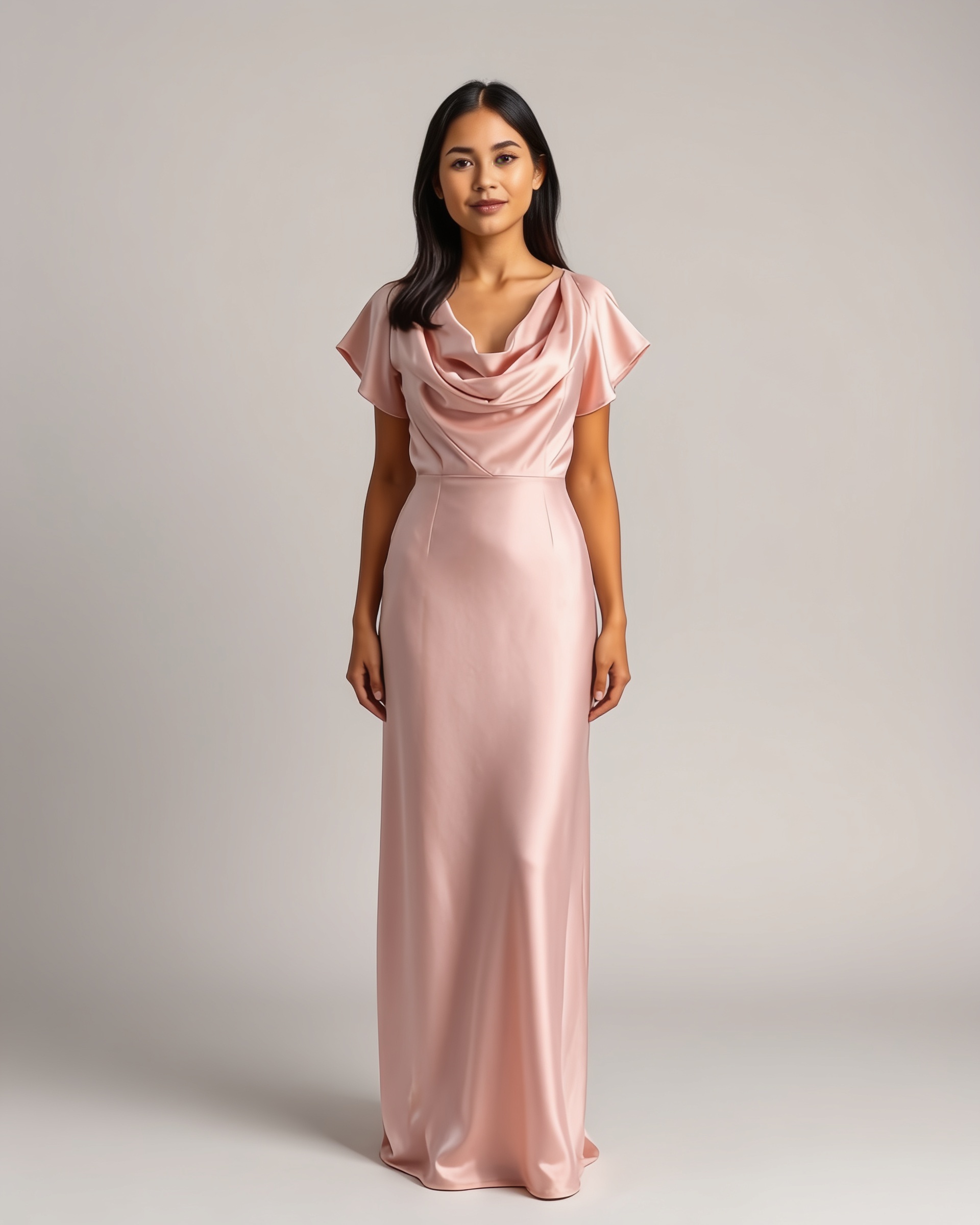
Fotor is a great general editor with a genuinely fun clothes-swapping trick — but the dress it paints is an AI invention loosely inspired by your words. Twirldress promises less and delivers one thing properly: the specific gown you're considering, at its true neckline, length and drape, on your photo. Try both with the same dress image and the difference explains itself — the first Twirldress render is free.
| Twirldress | Fotor | |
|---|---|---|
| Made for | Dresses only — gowns, bridal, qipao, prom | General photo editing, dozens of AI tools |
| Where the dress comes from | Any dress image you upload, or 56+ in-house designs | Your prompt, a reference image, or style presets |
| Prompt-only outfit invention | Never — you always dress in a real design | Core feature — the AI invents the outfit |
| Dress fidelity (neckline, hem, skirt) | Renders the actual garment's cut and drape | Approximates from the prompt; details vary |
| Face, pose & background | Always preserved untouched | Kept, per Fotor's feature page |
| Speed | About 20 seconds per render | Seconds per edit |
| Price to start | First try-on free; credits from $5.99 one-time | Free daily credits; subscription for clean exports |
| Watermark-free results | Included with paid credits | Paid plans |
| Privacy | Photos never stored or used for training | See Fotor's privacy policy |
What each tool actually is
Fotor is an everything-editor, and the clothes changer is one knife in a very full drawer. Its AI swaps outfits from a text prompt, a clothing reference image, or preset styles — dresses included — which makes it handy for quick OOTD posts, profile pictures and what-if experiments. The same subscription unlocks the rest of the suite: retouching, backgrounds, headshots, collages.
Twirldress is a fitting room that happens to be made of AI. It does one job: put a specific dress on your photo — saved from a boutique's product page, pulled off a Pinterest board, or picked from 56+ original Twirldress designs — and keep everything else about the picture honest. No filters, no headshots, no collage maker; just the dress, on you.
An invented dress versus the actual dress
Here's the catch with prompt-based swapping: the AI doesn't know which dress you mean — it invents one that matches your words. Type "emerald satin midi" and you'll get an emerald satin midi, but the neckline, the waist seam, and the way the skirt breaks at the knee are all improvisation. For a social post, fine. For the gown you're about to order in your usual size, "close enough" is the failure mode — the render said yes and the parcel disagreed.
Twirldress inverts the workflow: the dress image is the input, not the vibe. The renderer reproduces that garment's silhouette and drape on your body — which is what makes side-by-side decisions possible at all: mermaid or A-line, blush or sage, mini or midi, judged on the same photo of the same you.
Everyday fun versus decision-grade renders
Fotor shines in its element: fast edits, endless styles, an export you can post immediately. Twirldress is tuned for the moment a dress decision gets real — prom season, a bridesmaid palette that five people must agree on, the wedding shortlist — where you re-render the same gown from the back, compare two necklines on one photo, and send the shortlist to the group chat before anyone pays a deposit.
Neither replaces the other, honestly. One is a playground with a try-on trick; the other is a narrow tool that takes the guesswork out of the most photogenic garment there is.
Pricing: subscription versus pay-per-twirl
Fotor runs freemium-plus-subscription: free daily credits to test the waters, with watermark-free, high-resolution exports behind a recurring plan that also pays for the whole editing suite. Twirldress has no subscription at all: the first try-on is free after sign-in, and after that you buy one-time credits from $5.99 for 10 renders — they never expire, and failed generations don't consume them. If a dress decision is a once-a-year event, you pay for the render, not the month.
Which one belongs in your toolbox?
Keep Fotor for everything a photo editor does. Come to Twirldress when the question is a dress: browse the library or upload the gown you've been eyeing, and let an honest render answer it — free, in about 20 seconds.
When Fotor is the better pick
- You want one subscription that covers photo editing broadly — retouching, backgrounds, headshots — with clothes swapping as a bonus.
- The outfit doesn't need to be real: OOTD posts, avatars and concept looks are the goal.
- You live in presets and want instant, low-stakes experimentation across many styles.
- You need quick one-off edits far more often than you make dress decisions.
Ready to see it on you?
Upload a photo, pick a dress from the library — or upload your own — and see it on you in about 20 seconds. First try-on free.
Twirldress vs Fotor — FAQs
+Can Fotor try on a specific dress I have in mind?
Only loosely. You can give it a clothing reference image, but prompt-based results still invent details around it. Twirldress takes the dress image as the source of truth and renders that exact design — neckline, hem and skirt included — on your photo.
+Is Twirldress good for quick fun edits too?
It's focused rather than minimal: trying a dozen dresses on one photo in minutes is its own kind of fun. What it skips deliberately are the filters, backgrounds and headshot tools a general suite carries.
+Which is better for prom and wedding dresses?
Twirldress. Event dresses are decided on silhouette, hem and drape — the exact details a prompt-based editor improvises and a dress-only engine renders faithfully. Your first render is free, so the comparison costs nothing.
+Does Fotor keep my face and pose?
Fotor's clothes changer is built to keep your face and pose while swapping garments. Twirldress makes the same promise for dresses, and adds that your photo is never stored on our servers or used to train AI.
+How much does each cost?
Fotor: free daily credits, with watermark-free exports on a paid subscription — check their pricing page for current tiers. Twirldress: first try-on free, then one-time credit packs from $5.99 for 10 renders. No subscription, credits never expire, failed renders don't consume credits.
+Can I try on my own dress design or a sketch?
Yes, on Twirldress — any dress image works, including sketches, flat-lays and game screenshots. Uploading your own dress is the core feature, not an add-on; Fotor's workflow centers on prompts and presets.
+What about watermarks?
Twirldress's free renders carry a small twirldress.com mark; paid credit renders are clean and watermark-free. Fotor also reserves watermark-free exports for its paid plans.
+Which one is faster?
Fotor's edits land in seconds; a Twirldress render takes about 20 seconds. Those twenty seconds buy decision-grade fidelity — the actual garment, not an invented one — which is usually the point when a purchase is behind the photo.
+Can I use the results commercially?
For Twirldress, paid credit renders are watermark-free and online sellers use them for listings and shop previews. For Fotor, commercial usage rights come with their paid plans — check the current license terms before publishing.
Keep comparing