For Dressmaker game players
You sewed it stitch by stitch in the Dressmaker game. Now wear it.
One thing the game can't show you yet: your dress, worn. Every player asks for it — "let us see the customer put on the dress we made." Twirldress is that missing moment: upload a photo of yourself, bring the dress you made, and see it on your own body in about 20 seconds.
Twirldress is an independent studio built on one promise — any dress, on your body, in about 20 seconds, first try-on free. Our own library is original design, but this page is for yours: the ones you drafted, pleated and accessorized stitch by stitch. They deserve more than a dress form.
Dressmaker game try-on
Bring your dress. We'll do the rest.
Your photo
Your dress
Output size
Your result will appear here
Pick a photo and a dress, then twirl — your result shows up in about 20 seconds.
Your photo is never stored
Why players love it
Your creation, honored
The tiered skirt you pleated, the lace you placed, the brooch you chose — Twirldress reproduces your design faithfully, it doesn't improvise a lookalike.
On your body, not a mannequin
Your face, your hair, your pose. The dress drapes on you with realistic folds, lit to match your photo.
Ready in ~20 seconds
No app needed — sign in and your first try-on is free. Upload, choose, twirl — then save the photo and share it with the community.
Twelve player dresses, five moods
Every dress in this page's library was designed by a Dressmaker player and shared with the community's spirit in mind. No creation of your own yet? Borrow one by mood — each links straight into the fitting room.
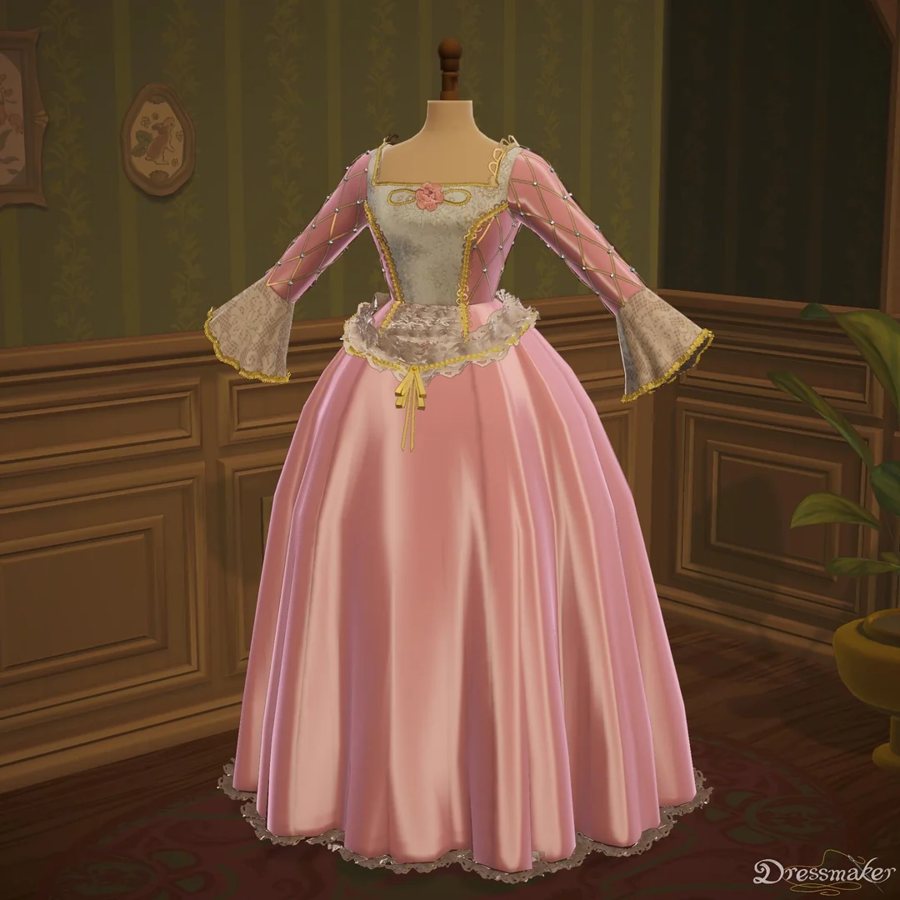
Fairy-tale princess
When the twirl is the whole point
Layered pastel tulle, lace sleeves, a skirt made for spinning — the princess line is what most players sew first, and it renders spectacularly: every tier catches its own light and the full skirt drapes exactly as puffed as you drew it.
Try this shape on you →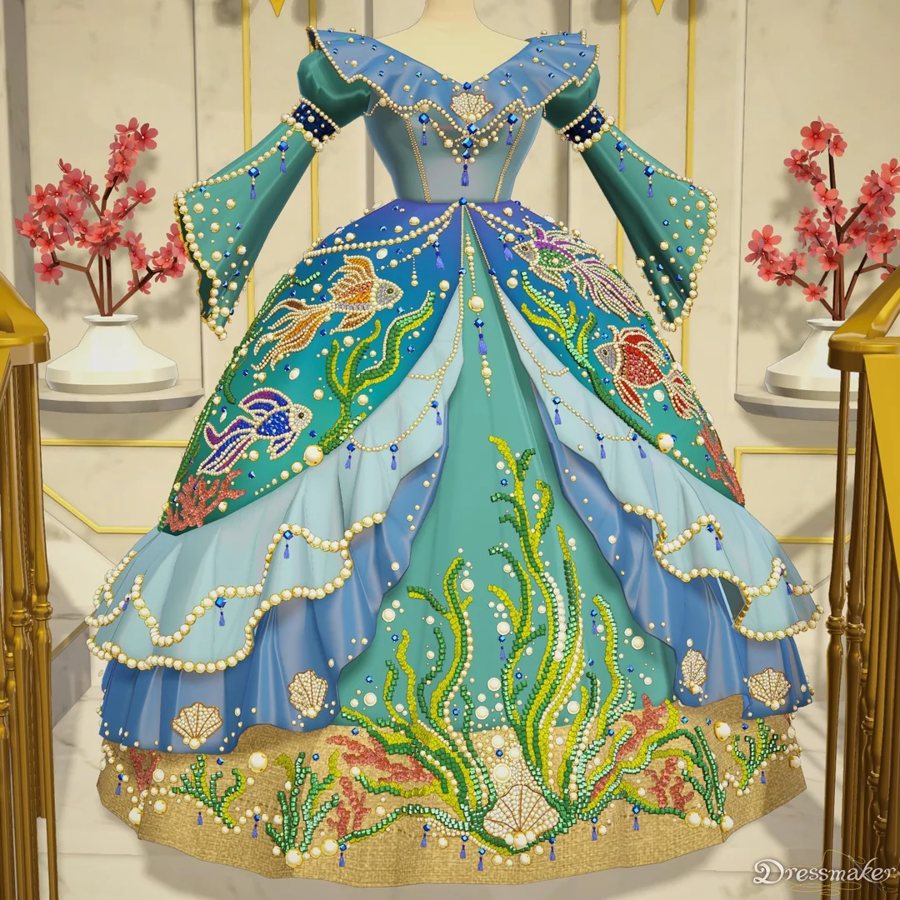
Regal fantasy
Statement creations for gallery shots
Gold embroidery on deep teal, wide flowing sleeves, a brooch placed just so — the regal line is where players show off craftsmanship. Fine details carry over from your screenshot, so the render is a faithful portrait of the work, not an interpretation.
Try this shape on you →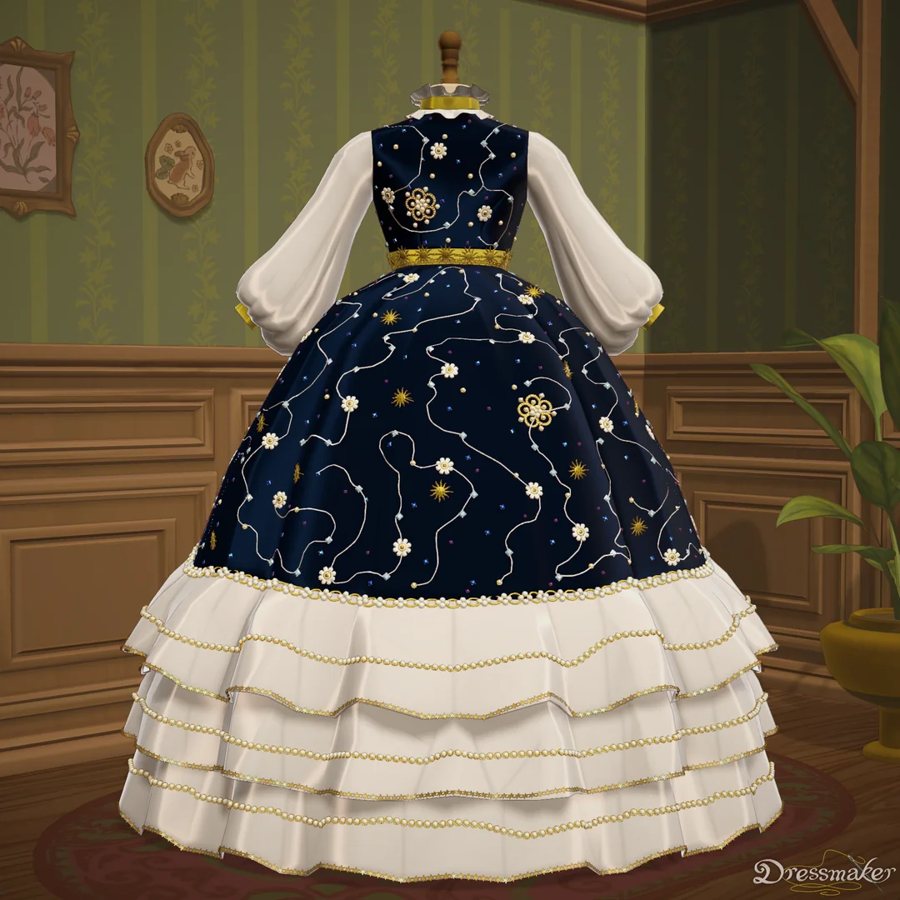
Starry Night dress
Night-sky palettes with leg-of-mutton sleeves
Navy satin scattered with golden stars, white sleeves, ruffled hem tiers — the Starry Night dress is the community's favorite after-dark silhouette. On a body, the star placement follows the drape of the skirt, which is the part flat screenshots can never show you.
Try this shape on you →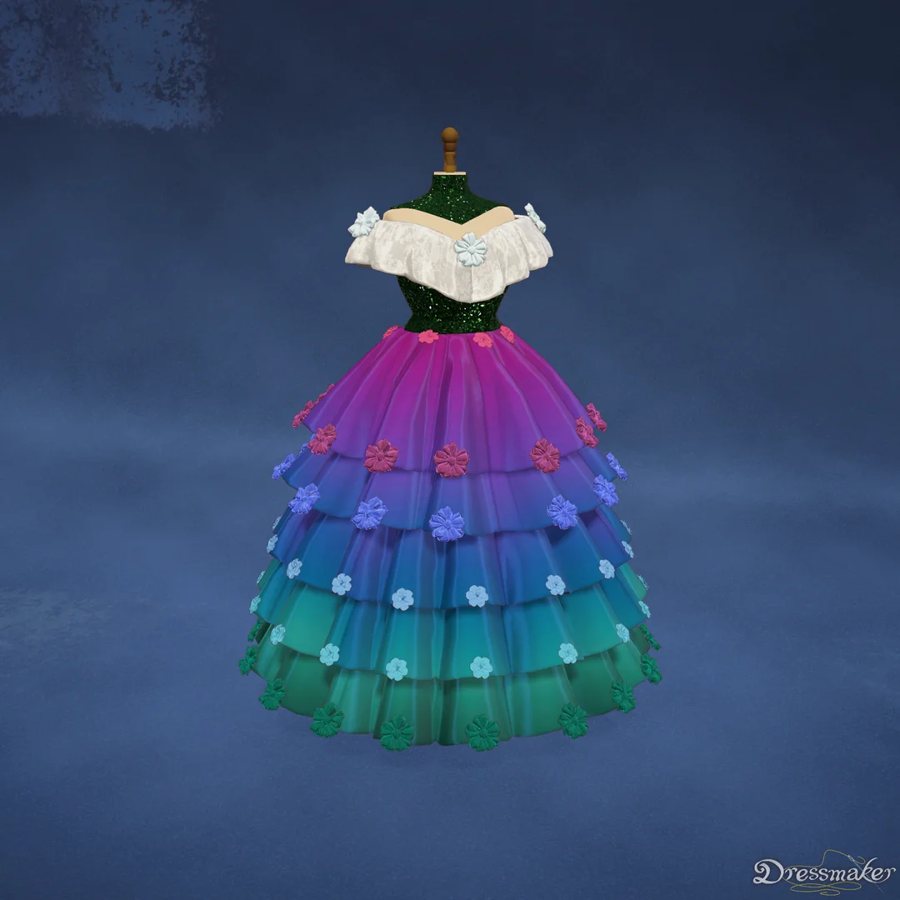
Peacock Sequin dress
Designs that need to catch every light
Iridescent rainbow sequins over a peacock shimmer, finished with a white lace collar — the boldest sequin dress in the player pool. Sequins are the hardest thing to judge from a flat in-game screenshot: on a render, every scale picks up its own highlight and you can finally see whether the sparkle reads elegant or overpowering.
Try this shape on you →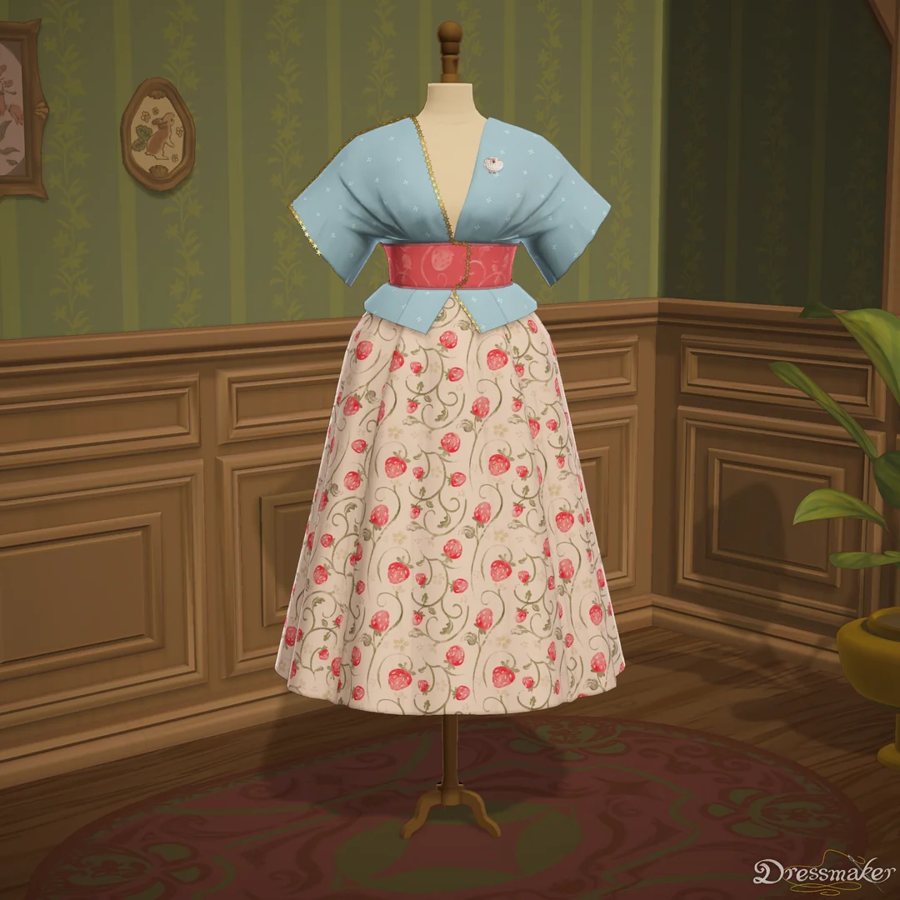
Meadow daywear
Playable, wearable, screenshot-friendly
Pastel florals with a sash and short sleeves — the everyday fairy line. It's the dress players make when they want something their customer could actually wear, and the most fun to see on your own body for exactly that reason.
Try this shape on you →Player dresses, worn for real
Real output from Twirldress — the exact fitting room embedded above, rendering player-made designs on our AI models. Your own creation works the same way: screenshot it, upload it, wear it.
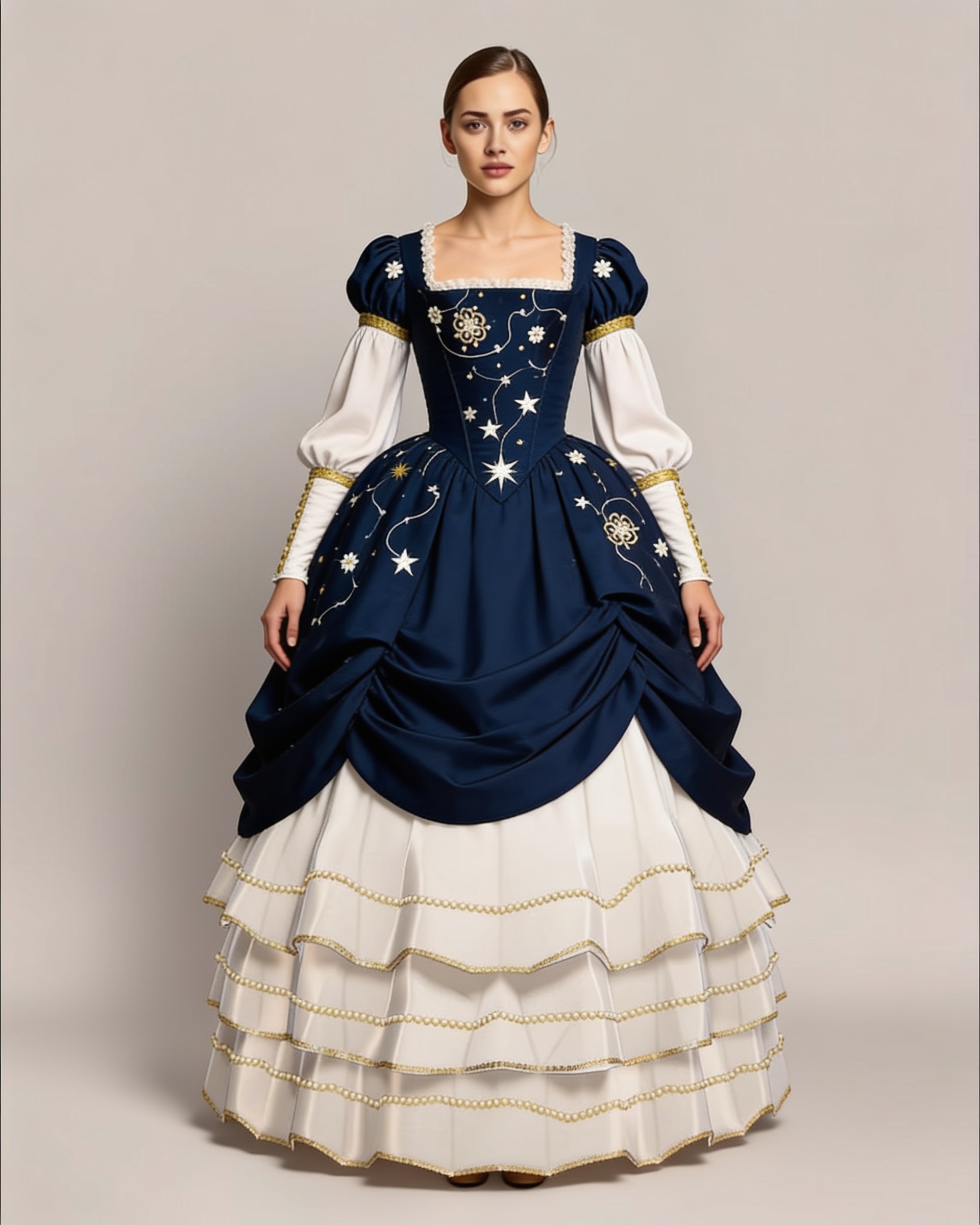
Starry Night — golden stars and leg-of-mutton sleeves, a player favorite, rendered on our Europe model.
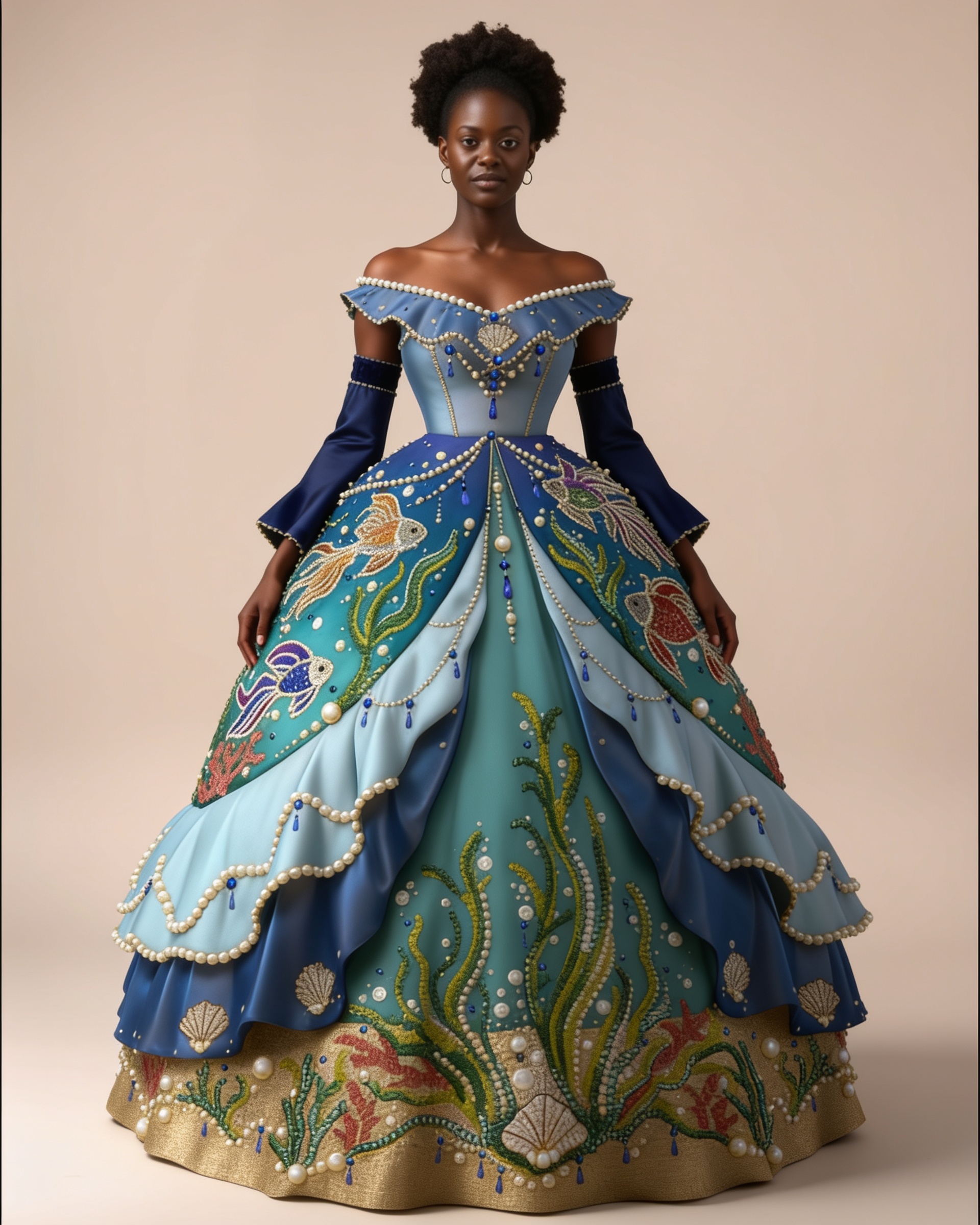
Teal & Gold — the embroidery you placed stitch by stitch, carried over to the drape, on our Black tall model.
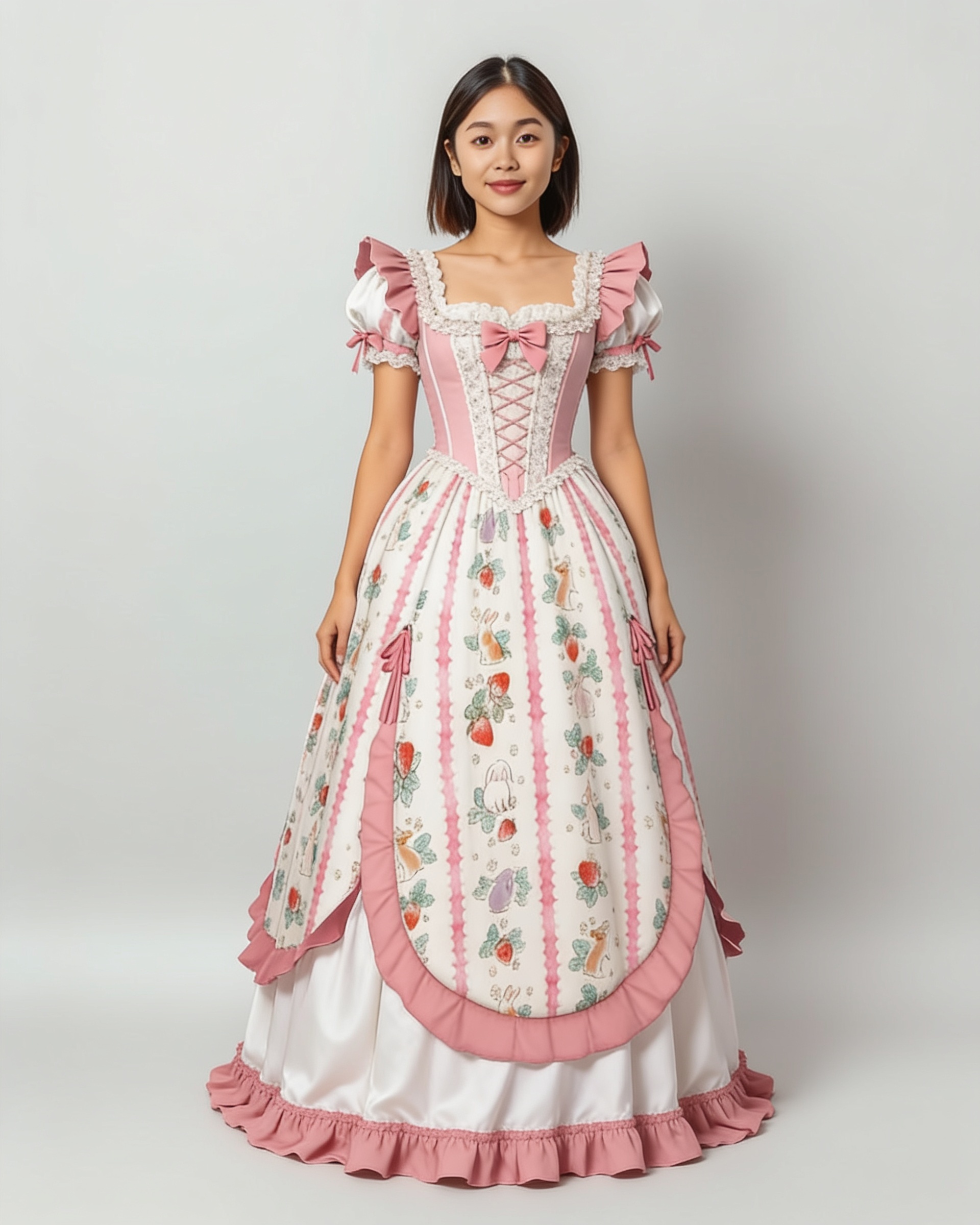
Ribbon Princess — pink ribbon drapes and puffed sleeves, on our Mixed petite model.
No dress of your own yet?
Borrow one from the library — each was made by a Dressmaker player.
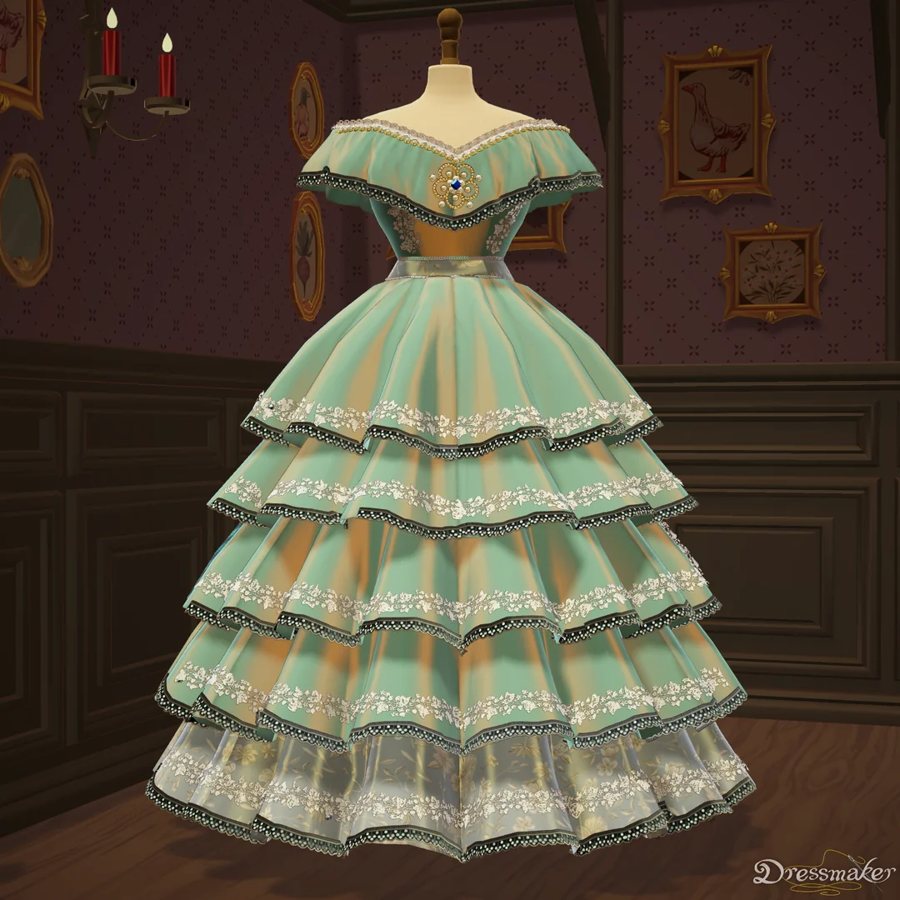
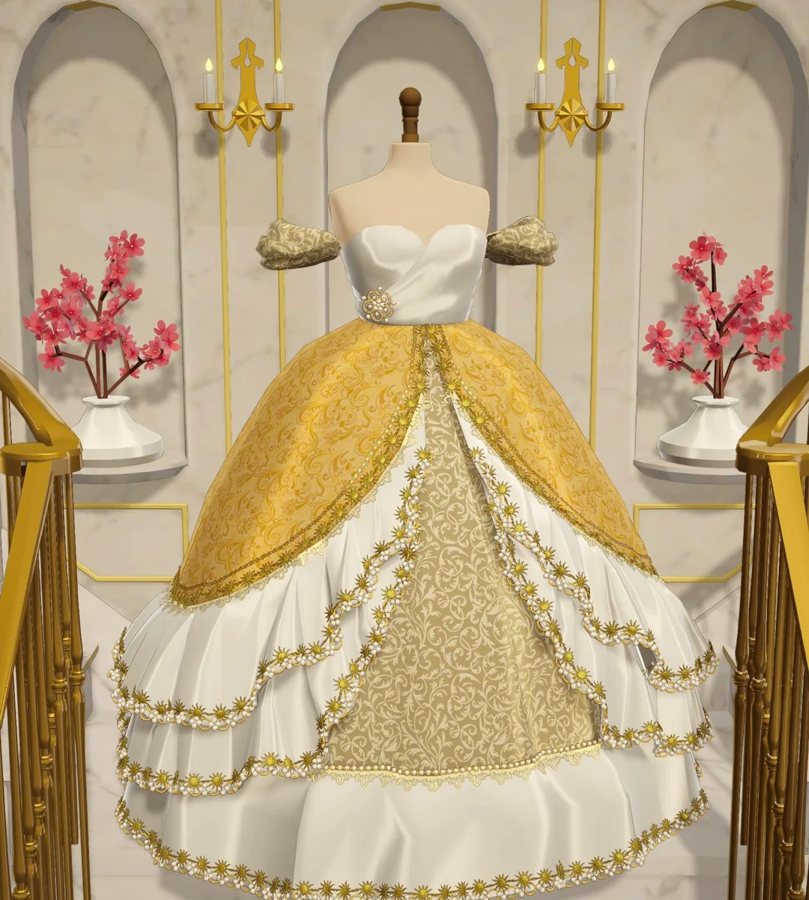
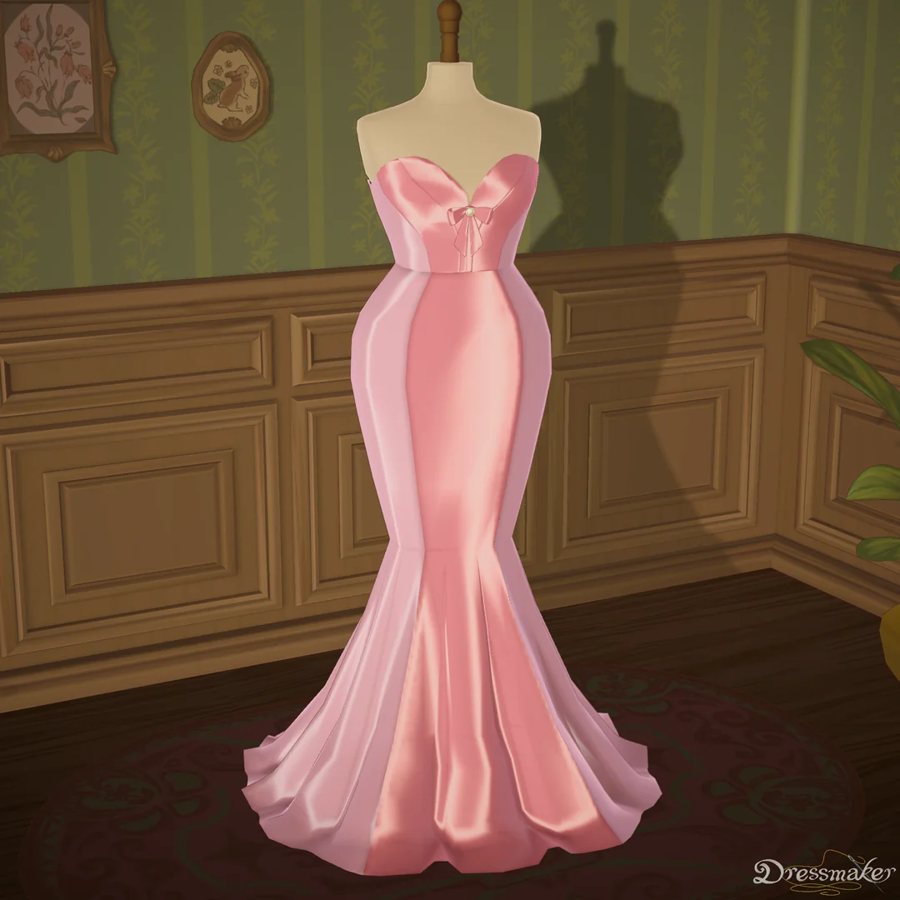
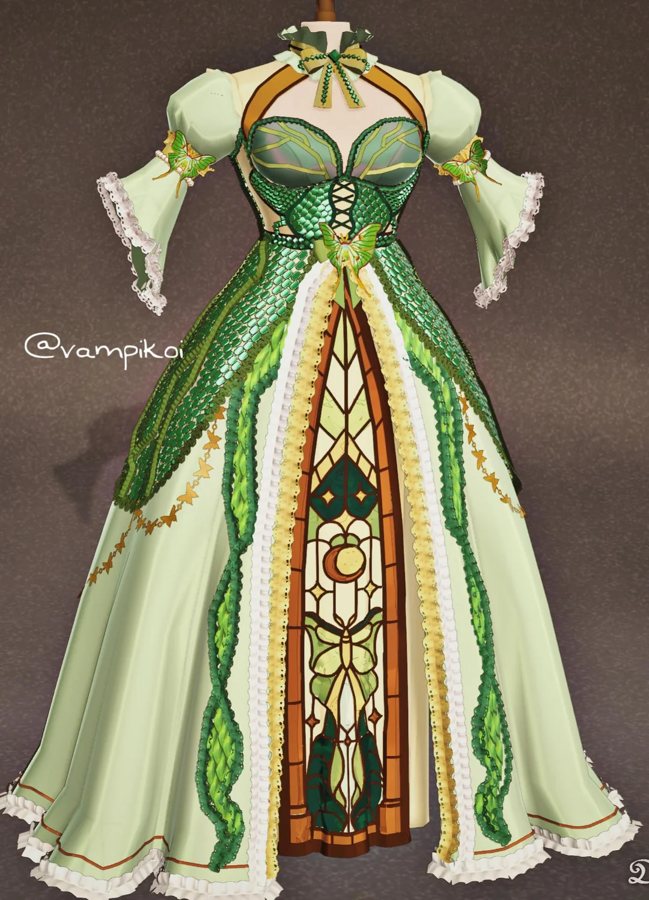
All 12 player dresses
The complete Dressmaker player library on this page — every design was made by a player and shared with the community. Click any dress to see it on you in the fitting room above.
Made by players, worn by players
The library on this page isn't ours — it's the community's. Every Dressmaker pool design was made by a player and shared in the game's spirit, and seeing them worn is the moment the whole community has been asking for since the first customer walked into the first in-game shop.
The loop is simple: screenshot your creation in the game's photo mode, upload it here with a photo of yourself, and post the render back alongside your in-game shots. Players use the renders as lookbooks for their shops, as 'worn by a real customer' proof in their design threads, and as the answer to the question every dressmaker eventually gets — "but what does it look like on?"
And it goes both ways: when you see which player designs you actually want to wear, you've learned what to sew next. One evening of try-ons tells you more about your own designs than a hundred screenshots of them on a hanger.
How to submit your dress
Submit your dress
Open the game's photo mode and screenshot the dress: full design in frame, front-facing, plain background, the highest quality your screen allows. Crop tight to the dress — that screenshot is all we need.
Submit your photo
A full-body photo of you, standing, arms relaxed, in good light, something fitted underneath so your proportions read clearly. Load both images in the fitting room above — your first try-on is free once you sign in.
Wear it and share
About 20 seconds later you're wearing your creation — face, pose and scene kept exactly as shot. Save the render and post it next to your in-game screenshots so the community can finally see the dress worn.
Ready to see it on you?
Upload a photo, pick a dress from the library — or your own — and see it on you in about 20 seconds. First try-on free.
Frequently asked questions
+Can I try on dresses I made in the Dressmaker game?
Yes — that's exactly what this page is for. Screenshot your dress in the game's photo mode, upload it as your own dress image, upload a full-body photo of yourself, and Twirldress generates a photo of you wearing your creation.
+How do I capture my dress from the game?
Use the game's photo mode: full dress in frame, front-facing, plain background, highest quality your screen allows. Crop tight to the dress — that screenshot is all the AI needs to dress you in your exact design.
+How do I submit a dress for a try-on?
Two uploads in the fitting room above: submit your dress (a clean screenshot from the game's photo mode) and submit a full-body photo of yourself. The AI pairs them into one render in about 20 seconds. Want other players to wear your design too? Share it in the game's own community channels — this page renders whatever you bring it.
+Do I need to own the Dressmaker game to use this?
No. If you don't have a dress of your own yet, pick any dress from the library on this page — every one was designed by a Dressmaker player and shared with the community's spirit in mind.
+Will the render match my design exactly?
Silhouette, colors, layering and every detail visible in your screenshot carry over — the tiered skirt stays tiered, the brooch stays put. Very fine details (tiny lace trims, thin piping) can soften slightly, but the render honors your design rather than improvising a lookalike.
+Can I try on several of my creations?
Yes — each run pairs one dress with one photo of you, and your photo stays loaded in the fitting room. Players typically test their whole portfolio in an evening and pick a favorite to share.
+Is it free?
Yes — sign in and your first try-on is completely free. After that, small pay-as-you-go credits keep the service running.
+Do renders carry a watermark?
Free try-ons carry a small twirldress.com watermark; credit renders are clean and print-ready — the version to post if you want your design's render to travel cleanly around the community.
+How long does it take?
Usually 15–30 seconds. You upload a photo, choose a dress, and get a full-body photo of you wearing that exact dress — face, pose and scene preserved.
+What photo of myself works best?
A full-body photo, standing, arms relaxed, in good light — something fitted underneath so your proportions read clearly. The render keeps your face, hair and background exactly as shot.
+Can I use a selfie?
For a quick preview, yes — but a selfie cut off at the waist makes the skirt pure guesswork, and the drape is the whole point. A photo that shows you head to toe (arms relaxed, fitted clothes underneath, phone propped up or a friend helping — it takes thirty seconds) gives the truest render of your design on your body.
+Can I share my renders?
Yes — save them and post them with your in-game photos. Community reactions to a worn render are the fastest signal you'll get on which of your designs people actually want to wear.
+What happens to my photos?
Your photo is used only to create your try-on — processed by our image-generation provider and never stored on our servers, never used to train AI, and never shared for any other purpose. Details in our Privacy Policy.
+Is this affiliated with the Dressmaker game?
No — Twirldress is an independent fan project, not affiliated with or endorsed by Dressmaker or its developers Cozy Lives / Free Lives. "Dressmaker" is used descriptively to refer to the game community's creations; the full note is in the footer below.